
How do you auto-number a large list of rows in Excel?

B

Birdieguy

Without having to type each number from 1 to, say, 300, and hit the down
arrow or enter in between each, isn't there a command in Excel that will
automatically do this for you?
 
T

tim m

Hi light the cells you want to number and 'Edit'...'fill'....'series' (step
value is how much the numbers increase by and stop value is the highest
number.)
 
M

Marcelo

hi,

if it is continuous, type 1 in a2, 2 in a3, select both cells and click on
the little blac box (right down) and drop dow.

or
=IF(B1<>"",COUNTA($B$1:B1)&".","")

This formula, which is copied down to the other cells in column A, displays
the next consecutive item number if the corresponding cell in column B is not
empty. If the cell in column B is empty, the formula displays nothing.

As items are added or deleted from column B, the numbering updates
automatically.
hth
--
regards from Brazil
Thanks in advance for your feedback.
Marcelo


"Birdieguy" escreveu:
 
K

kassie

You do not have to highlight the cells you want to fill! Enter a 1 in the
cell where you want to start. With this cell selected, hit
<Edit>,<Fill>,<Series>, Select Column, select Linear, select step value of
1, enter stop value of 300, and click on OK
 
B

Birdieguy

Can you explain this: "click on
the little blac box (right down) and drop dow" a little more clearly?

I tried the alternate method (the formula) and couldn't get it to work for me.

Thanks!
 
B

Birdieguy

OK I figured out the first method, but would still like to get the formula to
work. I guess I need to learn more about formulas.

Thank you, Marcelo.
 
T

tim m

True, I've just always found it easier to just hi-lite a big chunk of the
column and then you don't have to selct column, and linear at least from the
default settings. You don't have to hi-lite the exact length of the fill,
just hi-lite more cells than the numbering length.
 
B

Birdieguy

Yep! Thanks Kassie.

kassie said:
You do not have to highlight the cells you want to fill! Enter a 1 in the
cell where you want to start. With this cell selected, hit
<Edit>,<Fill>,<Series>, Select Column, select Linear, select step value of
1, enter stop value of 300, and click on OK
 
C

chell

If the cells to the right of the column you want to place values is not
empty, you can place a 1 in the first cell, hold ctrl+double click, and wala,
the values fill in until the right cell is empty or a cell in the column is
not blank.
 
M

melissa

I'm looking for a formula that will number my columns 1 - ?? and if i delete
a row, it will automatically fix the numbering in column A
 
S

Simon Lloyd

Melissa, you said: "-I'm looking for a formula that will number m
columns 1 - ?? and if i delet
a row, it will automatically fix the numbering in column A-

Deleting a row does not affect column numbers/headers, can you explai
yourself a little better please

--
Simon Lloy

Regards
Simon Lloy
'The Code Cage' (http://www.thecodecage.com
 
M

melissa

OK...Hard to explain.

Column A. I want to number 1- 400 lets say. Then when i have an employee
delete a row because they are removing an item, i want column A to fix it's
numbering.

Example for Column A
1
2
3
4
5
Row 3 gets deleted, it then looks like below
1
2
4
5

can the column automatically fix itself or can the grey column with the
numbers be displayed. This one is hard for me to figure out.
 
M

MGAUDIO

I'm looking for help on autmatic numbering, and if a row is deleted th
column renumbers.

As you can see in my attachment. If one of my mechanics deleted lin
13 lets say, i then need to know how many machines are available and th
bottome number would be off. When you delete a row can the numbe
renumber accordingly. Am I saying this right?

meliss

+-------------------------------------------------------------------
|Filename: Copy of 12-1-08.xls
|Download: http://www.thecodecage.com/attachment.php?attachmentid=23
+-------------------------------------------------------------------
 
S

Simon Lloyd

Welcome to The Code CageFirstly why the ga
in the blocks of time?, secondly will there always be 14 in each tim
slot? and more specificly why number them atall in that way

--
Simon Lloy

Regards
Simon Lloy
'The Code Cage' (http://www.thecodecage.com
 
S

sarah

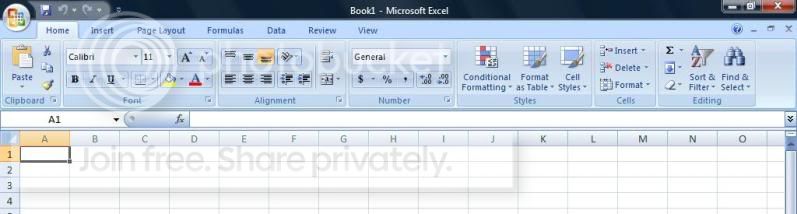
im using this new version of Excel which has no 'edit'. it looks like this:

excel.jpg
 
Top